
Ensuring Cross-Browser Font Compatibility
Typography plays a crucial role in web design, influencing both the aesthetics and readability of your website. However, ensuring these fonts display consistently across all browsers can be a challenge, especially when using fonts from various sources. In this article, we’ll guide you through the process of using Google Fonts and DaFont on your WordPress website, focusing on how to achieve cross-browser compatibility. Whether you’re aiming for unique typography from DaFont, or other font catalogue online, or the robust and reliable offerings of Google Fonts, we’ll help you make sure your chosen fonts look perfect on every device and browser.
DaFont for your WordPress Website
DaFont provides an unmatched variety of unique, creative, and customizable options when choosing fonts for your WordPress website. DaFont allows designers to impart a unique identity to their websites, making it an excellent choice for those seeking to create a distinctive and memorable online presence. Whether you’re aiming for a quirky, thematic design or an elegant, handcrafted look, DaFont’s extensive library has something to offer for every creative vision.
- Extensive Variety: DaFont offers a vast array of fonts in numerous styles, from playful and whimsical to elegant and professional, many of which are created by independent designers.
- Distinctive Designs: Many fonts on DaFont are unique and less commonly used, allowing your website to stand out with a one-of-a-kind typography.
- Specialty Fonts: DaFont includes many creative and themed fonts suitable for specific purposes, such as Halloween, Christmas, or vintage designs, which may not be available in the more streamlined selection of Google Fonts.
- Cost-Effective: Many fonts on DaFont are free for personal use, and some are free for commercial use, making it a budget-friendly option for personal projects or small businesses.
- Support for Designers: By choosing premium or donationware fonts, users can support independent type designers and contribute to the creative community.
- Flexible Licensing: DaFont often offers a variety of licensing options, allowing users to find fonts that fit their specific use cases, whether for personal, commercial, or non-profit projects.
- Customization: Some fonts on DaFont allow for more customization and adaptation, providing more flexibility in design applications.
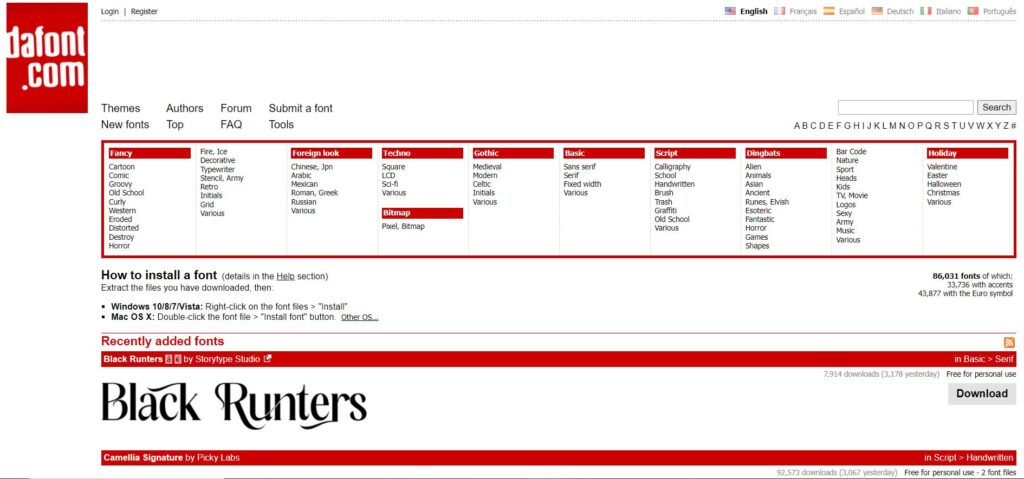
Not all fonts from DaFont will work across all browsers seamlessly. The compatibility of fonts across different browsers depends on several factors, including the font file format and the browser’s support for these formats. The fonts on DaFont are primarily uploaded by independent designers. This can lead to inconsistencies in the file type(s) available.
It can take work to help ensure cross-browser compatibility of some fonts, which can add scope / cost to your overall project. This can include:
- Convert the font to web-friendly formats (.woff, .woff2).
- Include multiple formats in the CSS to ensure the font works across different browsers.
- Upload the converted fonts to WordPress and use them in your theme.
Google Fonts for your WordPress Website
Choosing Google Fonts for your WordPress website offers several advantages, particularly for those looking for ease of use, reliability, and consistency across different browsers and devices. Here are the key benefits of opting for Google Fonts:
- Simple to Use: Google Fonts can be easily integrated into websites with just a few lines of code. This simplicity makes it accessible even for those with limited technical skills.
- Direct Integration with Platforms: Many website builders and content management systems have direct support for Google Fonts, making it straightforward to use these fonts in your projects.
- Optimized for Web Use: Google Fonts are designed specifically for web use, ensuring they display consistently across all major browsers and devices.
- Multiple Formats Provided: Google Fonts are served in multiple formats (e.g., .woff, .woff2) to ensure compatibility with a wide range of browsers, including older versions.
- CDN Hosting: Google Fonts are hosted on Google’s fast and reliable Content Delivery Network (CDN), which helps ensure quick loading times and high availability worldwide.
- Regular Updates: Google Fonts are maintained and regularly updated by Google, ensuring they remain secure, performant, and compatible with new web standards.
- No Licensing Issues: All Google Fonts are open-source and free for both personal and commercial use, eliminating any concerns about licensing restrictions or costs.
- Curated Collection: Google Fonts offers a curated selection of high-quality fonts that cover a wide range of styles and use cases, suitable for both professional and creative projects.
- Consistency: Using Google Fonts ensures a level of professionalism and consistency, as these fonts are extensively tested and widely recognized.
- Language Support: Google Fonts support a wide range of languages and scripts, making it easy to create websites that cater to a global audience.
- Accessibility Features: Google Fonts include options that are optimized for accessibility, ensuring that text remains readable and user-friendly – an important feature when choosing fonts for your WordPress Website.
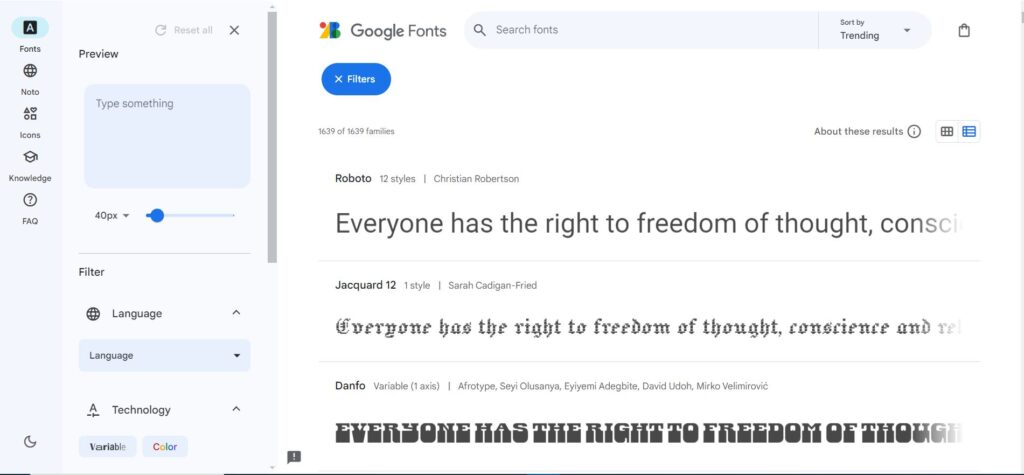
Which Fonts to Choose?
Google Fonts are generally more compatible across all browsers compared to fonts downloaded from sites like DaFont. Here are reasons why we choose to use Google Fonts when we build WordPress websites for our clients:
Optimized for Web Use
- Google Fonts are specifically designed for web usage, ensuring high compatibility and performance across various browsers and devices.
Multiple Formats Provided
- Google Fonts are served in multiple formats, including .woff and .woff2, which are widely supported by all modern browsers. This ensures maximum compatibility.
Automatic Updates
- Google Fonts are hosted on Google’s servers, meaning they are automatically updated and optimized without any need for manual intervention. This includes performance improvements and bug fixes.
Cross-Browser Compatibility
- Google Fonts are extensively tested across different browsers, including Chrome, Firefox, Safari, Edge, and Internet Explorer, ensuring consistent appearance and performance.
Easy Integration
- Google Fonts can be easily integrated into a website using a simple link or import statement, making them very convenient to use.

FAQs About Choosing Fonts for your WordPress Website
What are Google Fonts?
Google Fonts is a free library of web fonts provided by Google. It offers a wide range of high-quality fonts that can be easily integrated into websites, ensuring consistent typography across different browsers and devices.
What are some advantages of using Google Fonts?
Google Fonts are easy to integrate, widely compatible across all major browsers, and hosted on a fast, reliable CDN. They are also regularly updated and free to use for both personal and commercial projects.
Are there any drawbacks to using Google Fonts?
While Google Fonts offer many benefits, they may not include highly unique or niche fonts found in other font libraries. Additionally, using too many different Google Fonts can impact page load times.
What are some alternatives to Google Fonts?
Alternative font libraries include Adobe Fonts (formerly Typekit), DaFont, Font Squirrel, and MyFonts. Each of these libraries offers a variety of free and paid fonts with different styles and licensing options.
Are fonts from DaFont compatible with all browsers?
Fonts from DaFont may require conversion to web-friendly formats for full browser compatibility. By converting fonts to .woff and .woff2 formats and including them in your CSS, you can ensure they work across all major browsers.
What is Adobe Fonts, and how does it differ from Google Fonts?
Adobe Fonts is a subscription-based service that provides access to a vast library of high-quality fonts. Unlike Google Fonts, which are free, Adobe Fonts requires a subscription to Adobe Creative Cloud. Adobe Fonts also offers more professional and unique typefaces compared to Google Fonts.
What factors should I consider when choosing a font library for my WordPress site?
When choosing a font library, consider factors like font variety, ease of integration, compatibility across browsers, licensing terms, and any associated costs. Google Fonts is ideal for free, easy-to-use options, while Adobe Fonts offers a wider selection for professional use.
How can I ensure good performance when using web fonts on my site?
To ensure good performance when choosing a font for your WordPress website, limit the number of different fonts and weights you use, choose web-optimized formats like .woff and .woff2, and utilize font-display properties to control how fonts load and render. Additionally, hosting fonts on a reliable CDN can improve load times.
In Conclusion
While font libraries online offer a vast and unique selection of fonts, Google Fonts stands out for its ease of integration, reliability, performance, and broad compatibility. For users looking for a hassle-free, professional, and dependable font solution, Google Fonts is an excellent choice. Its robust infrastructure, comprehensive language support, and guaranteed free licensing make it a practical option for ensuring your website’s typography is both beautiful and functional across all platforms and devices. But choosing fonts for your WordPress website is not one-size-fits-all. Choose the fonts that fit your brand, the license that fits your use, and the budget you can afford!
