
Cyber Security Awareness Poster
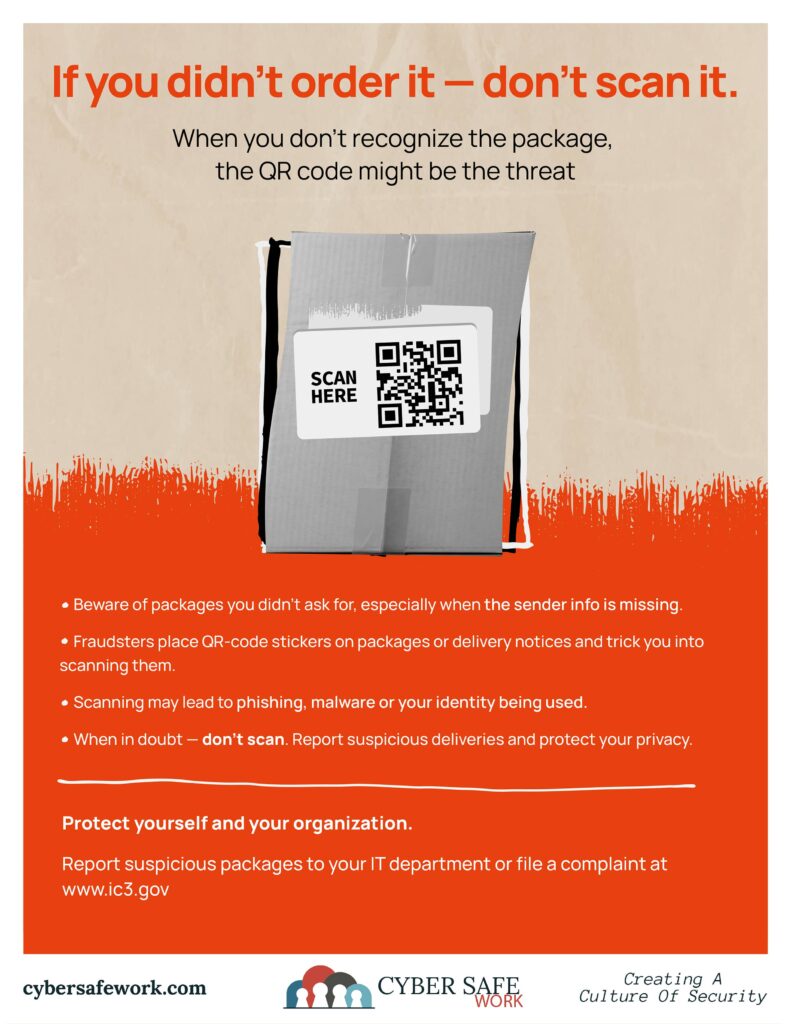
The QR Code Box Scam: Why That Random Package Could Be a Cyber Trap
QR codes are everywhere, on menus, parking meters, mailers, and even packages. But scammers have started using them in a new and surprisingly effective scheme: fake delivery and “mystery package” scams.
If you receive a package you didn’t order, especially one with missing or vague sender information, stop before you scan anything. It could be a setup.
How the QR Code Package Scam Works
According to the Internet Crime Complaint Center (IC3), fraudsters are shipping inexpensive goods or even just stickers to random recipients. Inside or attached to the box is a QR code.
The message usually implies:
- “Scan to see who sent this.”
- “Scan to confirm delivery.”
- “Scan to claim your prize.”
- “Scan for return instructions.”
The goal is clear – get you to scan.
Once scanned, that QR code can redirect you to:
- A phishing page that looks legitimate
- A fake login portal to steal credentials
- A malicious download
- A site designed to harvest personal data
This tactic is sometimes called “quishing”, QR code phishing.
Why Scammers Send Real Packages
You might wonder: why go through the trouble of mailing something?
Because a physical package lowers your guard.
When something arrives at your door, it feels legitimate. That physical interaction creates trust. Scammers know that once curiosity kicks in, people are more likely to scan without thinking.
In some cases, this may also be connected to what’s known as a brushing scheme, where scammers send unsolicited goods to generate fake verified reviews tied to your name or address.
Even if the item seems harmless, the QR code is the real payload.
What Happens When You Scan a Malicious QR Code?
Unlike clicking a suspicious email link, QR codes bypass many of the warning signals people are trained to look for.
Scammers use malicious QR codes to capture login credentials, install malware on your device, steal stored browser information, redirect you to payment pages, and collect personal data for identity theft.
Because phones often auto-open links after scanning, the window for caution is small.
Red Flags to Watch For
Be cautious if you notice:
- A package you did not order
- No clear sender information
- A vague message asking you to scan
- Urgent or emotional language
- A sticker covering original labeling
- A request for login credentials or payment after scanning
When something feels off, it usually is.
What You Should Do Instead
If you receive a suspicious package, first thing’s first. Do not scan the QR code. Do not enter any personal information. Do not log in to any account from the linked page.
Report suspicious activity to the Internet Crime Complaint Center (IC3). Notify your local police department if appropriate and alert family members, coworkers, or residents if you work in a municipal or school setting.
If you already scanned, change passwords immediately and enable multi-factor authentication if possible. For a time after the scan, you will need to monitor financial accounts for suspicious activity. You should also run a security scan on your device to ensure no malicious software was installed.
Why Communities Should Talk About This
These scams are effective because they combine physical mail with digital deception.
Schools, municipalities, and local businesses can reduce risk simply by raising awareness. A visible poster in offices, break rooms, community centers, or school hallways can stop someone from scanning without thinking.
Education is prevention.
When in Doubt — Don’t Scan
QR codes are convenient. That’s exactly why scammers use them.
If a package arrives unexpectedly and asks you to scan, pause. Curiosity should never override caution.
When in doubt — don’t scan. Report suspicious deliveries. Protect your accounts.
CourseVector grants permission to use this artwork for any non-commercial purpose as long as the CourseVector contact information remains, as is, on any reproduction or use.
