
Cyber Security Awareness Poster
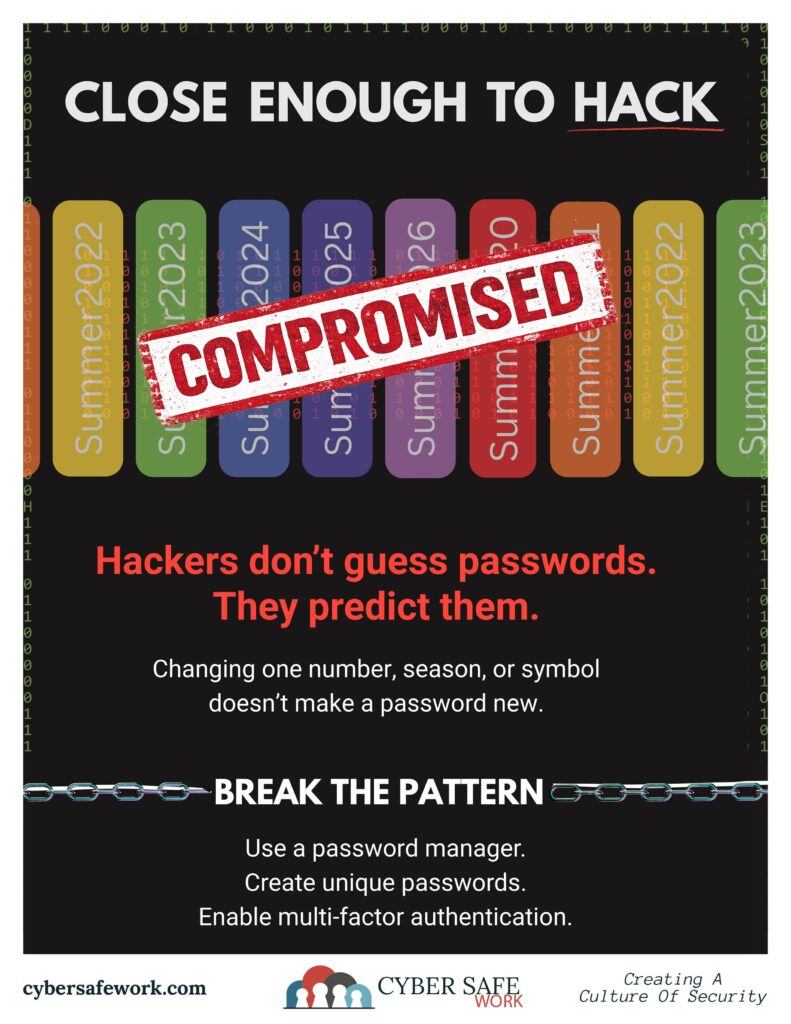
You Changed Your Password. So You’re Safe… Right?
We’re all told to change our passwords! It certainly feels like the responsible thing to do. So, you update your password, reluctantly. Maybe you change the year. Swap a symbol. Add a number.
From:
Summer2024!
To:Summer2025!
Different password. Problem solved.
Not exactly.
Hackers Don’t Guess Passwords — They Predict Them
The idea that hackers sit there guessing random passwords is outdated. Modern attacks are built on patterns. This becomes a problem when one account is exposed in a data breach. Here’s why:
When a password from one account is exposed in a data breach, attackers don’t stop there. They use software to automatically test variations like:
Summer2024!Summer2025!Summer2024!!Summer2024@
This isn’t guesswork. It’s prediction.
And it works because most people think the same way when creating “new” passwords.
The Problem: Password Reuse in Disguise
Most users know they shouldn’t reuse passwords across accounts. So instead, they do something that feels safe:
- Add a number
- Change the year
- Swap a symbol
But this creates what security experts call: Password reuse in disguise
It looks different to you. But to an attacker (or the AI trying to crack the code), it’s just the next logical step in a sequence.
Why This Works Against You
There are three reasons this habit is so dangerous:
1. It’s Predictable
Humans are creatures of habit. Attackers rely on that.
2. It Bypasses Policy
Many systems accept slightly modified passwords as “new,” even though they’re just variations.
3. It Creates a False Sense of Security
This is the biggest issue.
You believe you’ve taken action, but your risk hasn’t actually changed.
What a Real “New Password” Looks Like
A secure password isn’t a variation. It’s something entirely unrelated.
Instead of:
Winter2025!
Think:
GlassRiver!82Truck
Or better yet, let a password manager generate it for you.
The key is: No recognizable pattern. No connection to your old password.
How to Break the Pattern (Without Losing Your Mind)
You don’t need to memorize dozens of complex passwords. You just need the right system.
> Use a Password Manager
It creates and stores unique passwords for every account.
> Turn on Multi-Factor Authentication (MFA)
Even if a password is compromised, MFA adds a second layer of protection.
> Stop “Updating” Passwords, Replace Them
A real update means starting fresh, not tweaking what you already had.
The Bottom Line
If your password follows a pattern, it can be predicted.
And if it can be predicted… it’s not new.
CourseVector grants permission to use this artwork for any non-commercial purpose as long as the CourseVector contact information remains, as is, on any reproduction or use.
