
Cyber Security Awareness Poster
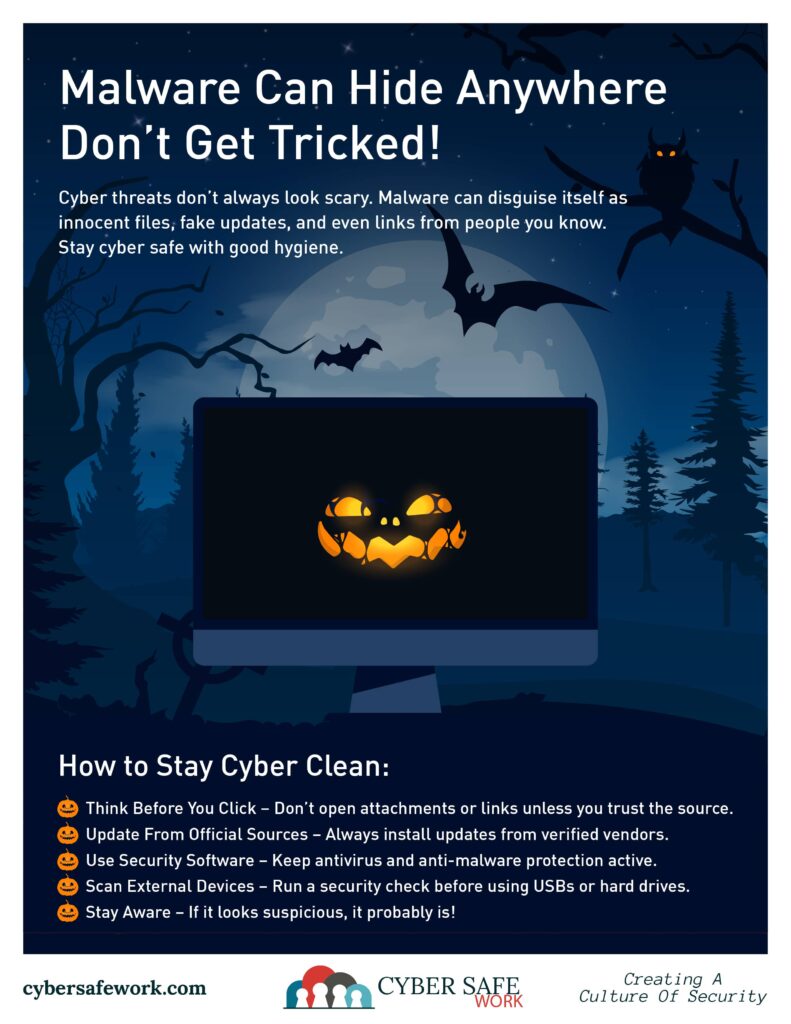
Malware Can Hide Anywhere – Why Cybersecurity Hygiene Matters
Malware is adept at concealing itself in unexpected places, posing significant threats to both individuals and organizations. Understanding where malware hides and maintaining rigorous cybersecurity hygiene are essential steps in protecting your digital assets.
Common Hiding Places for Malware
- Email Attachments and Links – Cybercriminals often use phishing emails to deliver malware. These emails may contain malicious attachments or links that, when opened, install malware on your device. It’s crucial to verify the sender’s identity and avoid clicking on suspicious links or downloading unexpected attachments.
- Compromised Websites and Online Ads – Malware can be embedded in websites or online advertisements, a tactic known as “malvertising.” Visiting these sites or clicking on infected ads can result in automatic malware downloads. To mitigate this risk, use ad-blocking software and ensure your browser is up to date. It is recommended to use reputable websites and ad-blocking tools to reduce exposure to malicious ads.
- Fake Software Updates – Attackers may prompt users with fake update notifications for popular software. Clicking on these prompts can download malware instead of legitimate updates. Always update software directly through official channels and be cautious of unsolicited update requests. Recent incidents have involved malware disguised as browser updates, highlighting the need for vigilance.
- Infected Media Files – Malware can be hidden within images, audio files, or videos through a method called steganography. Opening these seemingly harmless files can trigger malware execution. Ensure media files come from trusted sources and consider scanning them with security software before opening. Research has shown that malware can be concealed in image files, making detection challenging.
- Removable Devices – USB drives and external hard drives can carry malware, especially if they’ve been connected to infected systems. Before using such devices, scan them with updated antivirus software to prevent potential infections.
The Importance of Cybersecurity Hygiene
Practicing good cybersecurity hygiene involves regular actions and habits that help protect your devices and data from malicious attacks. Key practices include:
- Regular Software Updates – Keeping your operating system and applications up to date ensures that known vulnerabilities are patched promptly, reducing the risk of exploitation. Outdated software can serve as an entry point for malware.
- Strong Passwords and Multi-Factor Authentication (MFA) – Utilize complex, unique passwords for different accounts and enable MFA where available. This adds an extra layer of security, making unauthorized access more difficult.
- Regular Backups – Maintain up-to-date backups of important data. In the event of a malware infection, especially ransomware, backups allow you to restore your system without yielding to attackers’ demands.
- Awareness and Education – Stay informed about the latest cyber threats and train yourself and your team to recognize and respond to potential security risks. Awareness is a critical component of cybersecurity hygiene.
By understanding where malware can hide and implementing robust cybersecurity hygiene practices, you can significantly reduce the risk of infection and safeguard your digital environment.
CourseVector grants permission to use this artwork for any non-commercial purpose as long as the CourseVector contact information remains, as is, on any reproduction or use.
