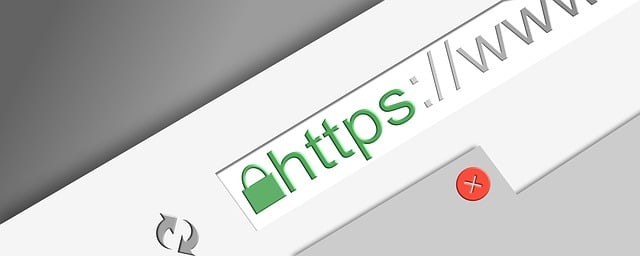
Most of us were taught to look for the little padlock and the “https” in the address bar. If it’s there, the site and therefore your data is secure. Right?
Partly. That padlock means your information is protected while it travels across the internet. It says nothing about what happens after it arrives: where it’s stored, who can open it, or what happens if a laptop goes missing.
If you handle resident, employee or customer information but you aren’t an IT professional, this guide is for you. We’ll explain encryption in plain language, using everyday analogies alongside the real terms, so you can follow the conversation and ask vendors the right questions.
What is encryption, really?
Encryption scrambles information so only someone with the right key can read it.
Think of a big pile of LEGO pieces, all the pieces are there to make the model but without the instructions you won’t get very far. Encryption works the same way, but in reverse. It will give you the instruction manual and then break up the model into a bunch of pieces and mixes up the pile. Only the holder of the instruction manual will be able to reassemble it again.
A few terms you may hear when people talk about encryption or encrypted data:
Plaintext: the readable original, like a completed job application.
Ciphertext: the scrambled version. This is our big pile of LEGO pieces, in practice this often looks like random characters.
Encryption/Decryption key: like our instruction manual, it is a key required to scramble or arrange the data.
Decryption: turning ciphertext back into readable information using the decryption key.
How encryption works.
Encryption runs data through an algorithm, a fancy way to say a math formula, along with one or more keys. Same data plus same key(s) always produces the same scramble, and only the matching key(s) reverses it.
Fun Fact: There is a method of encryption that does the opposite too. Where you encrypt the data without a way to decrypt it. It also may or may not be the same each time either. This is called a hash or hashing, we’ll stick to encryption for this article though.
You don’t need the math, but it helps to know there are two main approaches to encryption:
Symmetric encryption uses one key to both lock and unlock, like a house key. It’s fast, so it protects most stored data. The most common standard is AES-256, used by banks and the federal government. The “256” in its name refers to the key’s length; longer keys are harder to guess.
Asymmetric (public-key) encryption uses a pair of keys, like a mailbox slot. Anyone can drop a letter in using the public key, but only the owner’s private key opens the box. This is how your browser and a website safely agree on a key before exchanging data.
In practice, most systems use both. Public-key encryption sets up the secure connection, then faster symmetric encryption handles the bulk of the data.
When should data encryption be used?
It’s silly to think that encryption protects data. Encryption protects the people whose information you hold, and it protects your organization if something goes wrong. It is your last line of defense. Passwords get guessed, laptops get left in cars, and vendors get hacked. When that happens, encrypted data is useless to whoever took it.
It’s often required, by law or by contract. Your solicitor or attorney can tell you exactly which rules apply to you.
Pennsylvania’s Breach of Personal Information Notification Act (BPINA) requires organizations, including municipalities, to notify people when their unencrypted personal information is exposed. Properly encrypted data generally isn’t covered, unless the key was taken too. That difference can decide whether you’re mailing notices and paying for credit monitoring.
Health Insurance Portability and Accountability Act (HIPAA) expects health information to be protected, and encryption is the standard way to meet that expectation.
Family Educational Rights and Privacy Act (FERPA) requires strict safeguards for student records and prevent unauthorized access, which matters for any schools or education agency.
Criminal Justice Information Services (CJIS) Security Policy requires encryption for criminal justice information, which matters for police departments.
Payment Card Industry Data Security Standard (PCI DSS) requires credit card data to be protected if you accept credit card payments, even indirectly.
Let’s put it this way: if you’d be upset to see it on the front page of the local paper, encrypt it.
In practice, this includes but may not be limited to:
Personal identifiers: Social Security numbers, driver’s license and state ID numbers, dates of birth.
Financial information: bank account and routing numbers, credit card numbers.
Health information: medical notes, workers’ comp claims, accommodation requests.
Sensitive resident submissions: complaints, code enforcement reports, permit applications with personal details.
Anything on a portable device: laptops, phones, tablets and USB drives get lost and stolen far more often than servers get hacked.
Backups: a backup is a complete copy of your data, so it deserves the same protection as the original. Today, encryption in transit should be everywhere, on every website and every form. Encryption at rest should be the default for anything on the list above.
Encryption in transit vs. at rest
Data needs protection in two places: while it moves and while it sits. They’re separate protections, and having one doesn’t mean you have the other.
In transit is data on the move: a resident submitting a form, an email being sent, a file uploading. Think of an armored truck carrying cash between banks. HTTPS (that padlock) is encryption in transit.
At rest is data being stored: on a server, in a database, on a laptop or in a cloud folder. Think of the bank vault where the cash ends up.
Fun Fact: Years ago, HTTPS was synonymous with SSL, or SSL certificates. While that term is still common today, SSL has long since been replaced by TLS. So if you hear TLS or SSL/TLS being used, just know they serve the same purpose and that TLS is just the successor.
A website can have HTTPS and still store every form submission in plain, readable text. The armored truck did its job, but the cash was dropped on an unlocked desk. When a vendor says their product is “encrypted,” always ask: in transit, at rest, or both?
In transit
At rest
What it protects
Data moving between devices
Data stored on a server, drive or cloud
Analogy
Armored truck
Bank vault
Common example
HTTPS, VPN, secure email
Encrypted database, encrypted laptop drive
Threat it stops
Someone intercepting data mid-trip
Someone stealing a server, file or device
What a decryption key is and why losing it matters
The decryption key is the instruction manual to reassemble your data. Without it, your own data is as unreadable to you as it is to a thief.
That cuts both ways:
Lose the key, lose the data. Strong encryption has no back door. If a key is lost and there’s no backup, no vendor, IT person or locksmith can get the data back.
Leak the key, lose the protection. If someone gets the key along with the data, encryption no longer protects you. Under BPINA for example, that can turn a non-event into a reportable breach.
Where is my encryption key?
It’s one of the most common encryption questions people search for. The answer depends on the system, and often you never handle the key directly:
Cloud services (Microsoft 365, Google Workspace, most hosted software) usually manage keys for you behind the scenes. You don’t have a key to find, and that’s normal.
Windows computers with BitLocker (often enabled by default on newer computers) have a recovery key. It’s saved to the Microsoft account used to set up the computer, or to your organization’s Microsoft 365 or Entra admin account. Your IT provider should know where.
Macs with FileVault have a recovery key that may be stored with the Apple account or held by your IT provider.
Phones are protected by your passcode; the device manages the actual key.
Encrypted files or drives you set up yourself use a password or key you created. If you didn’t write it down somewhere safe, it may not be recoverable.
Encrypted forms a third party may have helped you set up. You’re still responsible for the key even if you didn’t set up the system. Like before, if you didn’t write it down it may not be recoverable.
Someone (maybe more than one person) in your organization should always know where recovery keys are kept, and they shouldn’t live only in one employee’s head or inbox. When staff leave, make sure the keys stay (at a minimum) and are changed if possible.
Why “encrypted” doesn’t automatically mean “safe”.
Encryption protects data from people who aren’t supposed to have access. It does nothing about people who log in. If someone signs in with valid credentials, the system unlocks the data for them, because that’s its job.
Just as with a safe, the best lock in the world doesn’t help if the combination is on a sticky note on the front.
The most common gaps we see in small offices:
Shared logins. One username and password passed around the office means you can’t control who sees what, can’t tell who did what, and can’t easily cut off access when someone leaves.
Simple passwords. If your password is easy for you to remember, chances are it’s easy for someone (or a computer) to guess.
Too much access. Not everyone needs to see everything. The clerk processing permits doesn’t need payroll records.
Sharing settings. A cloud folder set to “anyone with the link can view” is encrypted on the server and wide open to anyone who finds the link.
No multi-factor authentication (MFA). A stolen password alone shouldn’t be enough to get in. MFA adds another, different, factor to check. Common factors include: something you know, something you have, something you are, or where you are.
Data copied out. Encrypted data that gets downloaded to a desktop, emailed as an attachment or printed is no longer protected by the system it came from.
Out-of-date software. Older versions can have known holes that bypass protections entirely.
Encryption is one layer. Access controls, good habits and careful configuration are the others, and they matter just as much.
Can encryption be broken?
Modern encryption like AES-256, used correctly, is not realistically breakable by guessing. Trying every possible key would take today’s fastest computers far longer than the age of the universe. Sure with the continued use of AI, criminals might be able to break in eventually. But this takes too much time.
So how do attackers get encrypted data? They go around the lock instead of through it:
Stolen passwords, through phishing emails, reused passwords or shared logins.
Stolen or exposed keys, like a recovery key saved in an email or a key stored next to the data it protects.
Weak passwords protecting encrypted files, which can be guessed much faster than a full key.
Outdated methods, like old encryption standards or software that hasn’t been updated.
Catching data before it’s encrypted, or after it’s been unlocked for a legitimate user.
Let’s go back to AI for a minute. There has been a lot of talk about Super Intelligence and quantum computers in the news. They could eventually threaten some public-key methods, and the industry is already moving to new standards designed to resist them. AES-256 is considered strong even against that future. For a small organization, phishing and shared passwords are a far bigger risk today.
What happens to encrypted data in a breach?
If thieves take encrypted data but not the key, they have a pile of gibberish. That’s the whole point.
Two scenarios show the difference:
The stolen laptop. An employee’s laptop is stolen from a car. If the drive is encrypted and the password is strong, the thief gets a laptop to resell and nothing else. If it isn’t encrypted, every file on it is readable, and you may be notifying residents or employees.
The hacked vendor. A software provider’s server is breached. If they encrypted data at rest and kept keys separate, the stolen files are useless. If they didn’t, your data is exposed through no fault of your own, and it’s still your responsibility.
There is one big exception. If attackers got in using a valid login, the system decrypted the data for them. Encryption at rest doesn’t help when the thief walks in through the front door. That’s why access controls and MFA matter so much.
When a breach happens, encryption can be the difference between “we need to notify everyone” and “we’re covered.” Under Pennsylvania’s BPINA, notification generally applies to unencrypted personal information, or to encrypted information when the key was compromised too. Always involve your solicitor to confirm.
What should I actually ask a vendor?
For data that needs protection, check out this list. You don’t need to be technical to ask good questions. A vendor who takes security seriously will answer these clearly. Vague answers are an answer too.
Is our data encrypted in transit and at rest? If you’re collecting PII get both, not just one.
What encryption standard do you use? You’re listening for something like AES-256 at rest and TLS 1.2 or higher in transit.
Are file uploads and attachments encrypted too? Some products encrypt form responses but not uploaded files.
Who holds the encryption keys, and who on your staff can access our data? It’s important to know who has access to the data.
Can each of our staff have their own login? Shared logins undercut everything else.
Do you support multi-factor authentication? Can we require it for everyone?
Can we control who sees what? Look for roles or permissions, not all-or-nothing access.
Is there an activity log? You should be able to see who accessed or changed what.
Where is our data stored, and are backups encrypted?
What happens if you have a breach? How fast will you tell us, and what will you provide to help us meet our notification obligations?
Do you have an independent security audit, such as a SOC 2 report? Ask to see it.
If we leave, how do we get our data back, and how do you delete it?
The bottom line
Encryption is one of the strongest, simplest protections available, and it’s increasingly expected. But it’s a lock, not a security guard. Pair it with individual logins, MFA and sensible sharing settings, and you’ll be protecting both the people who trust you with their information and your organization.
Not sure where your website, forms or hosting stand? CourseVector can help you find out.
Gabriel Mariani
Gabriel enjoys problem solving and digging into technical issues big and small. He is the lead programmer at CourseVector and handles a lot of the security related questions as well. With a Masters of Science in Cybersecurity and Information Assurance from Penn State he is able to help guide customers to stay safe online. When not fiddling around online he enjoys biking out on the road, drawing, and adventuring with his family.
Happy Holidays!
With the holiday season upon us our staff will be taking some time to relax and enjoy time with their families.
We may be a bit slower to respond during this period. If you haven’t gotten a response within 24 hours during our normal business hours, please use our support request form and indicate it is an emergency and someone will get back to you quickly.
Search
Sign Up for Our Newsletter
Thank you for your interest in our newsletter! Fill in the form below to receive periodic updates on internet and website security, free cybersecurity posters, WordPress news, and more!
"*" indicates required fields
Your privacy is important to us. We do not share your information with anyone. You can opt out of our newsletter at any time.