
Protecting Your Business or Municipality from Similar Scams
In February 2024, Arlington, Massachusetts, fell victim to a sophisticated business email compromise (BEC) attack, losing over $445,000. Cybercriminals impersonated a legitimate vendor contracted for a large school project, convincing town officials to send four payments to a fraudulent account between October 2023 and January 2024. Although some funds were recovered, this incident highlights the ease with which attackers can spoof email addresses and conduct email-based scams.
Email spoofing and BEC scams are increasingly common and target both small businesses and municipalities, exploiting weak cybersecurity defenses. Attackers can make emails appear to come from trusted sources, tricking recipients into wiring money or disclosing sensitive information.
What does “email spoofing” mean?
Email spoofing is a technique where a hacker forges the email header to make it appear as though the email is coming from a trusted source, such as a colleague, a company, or even a family member. In reality, the email is sent from a completely different address. Here’s how it works and why it’s dangerous.
The “From” field in an email is easily manipulated. Hackers modify this field to disguise their true identity, so the recipient believes the email comes from someone they know or trust. This is often done to bypass spam filters or trick the recipient into acting on the email’s content (e.g., clicking a malicious link or sending sensitive information).
Spoofing an email address is effective because most people trust the “From” field without checking further details. Hackers exploit this by making the email appear legitimate at first glance, leveraging the recipient’s trust in the sender to carry out their attack.
Attacks can be a long game
Something to keep in mind is that not all attacks are super quick. The scammers who exploited their victims in Massachusetts took the time to plan the attack, hack the email, watch email exchanges, spoof an email address, and execute their plan to get employees to send money to an erroneous account.
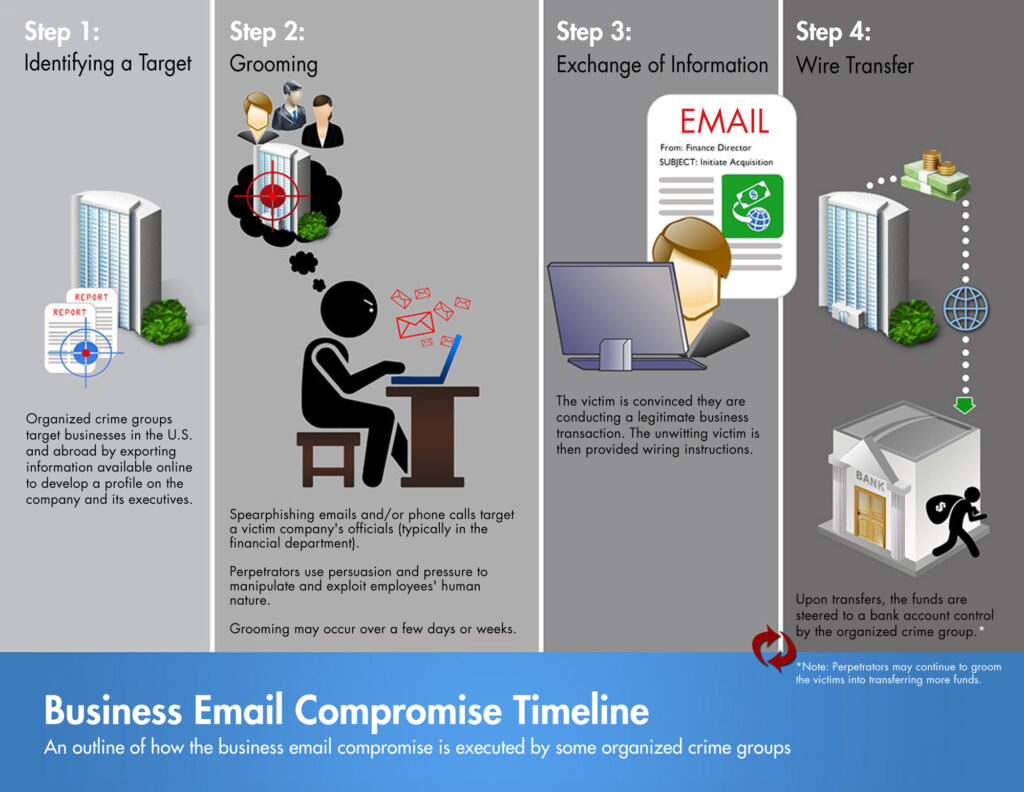
How does a hacker compromise an email account?
According to the Cybersecurity and Infrastructure Security Agency (CISA), as of 2023 one out of 10 phishing emails sent by the organization’s Assessors had a user execute a malicious attachment or interact with a malicious link. Not all attacked are initiated via a phishing attempt however. Hackers use various methods to compromise someone’s email, exploiting vulnerabilities in technology and human behavior. Here are some common techniques:
Phishing Attacks: This is one of the most prevalent and possibly well-known methods. Hackers send fraudulent emails that appear to be from legitimate sources, tricking recipients into clicking malicious links or providing login credentials. These emails often mimic trusted entities like banks or government agencies, asking users to update their passwords or verify account details.
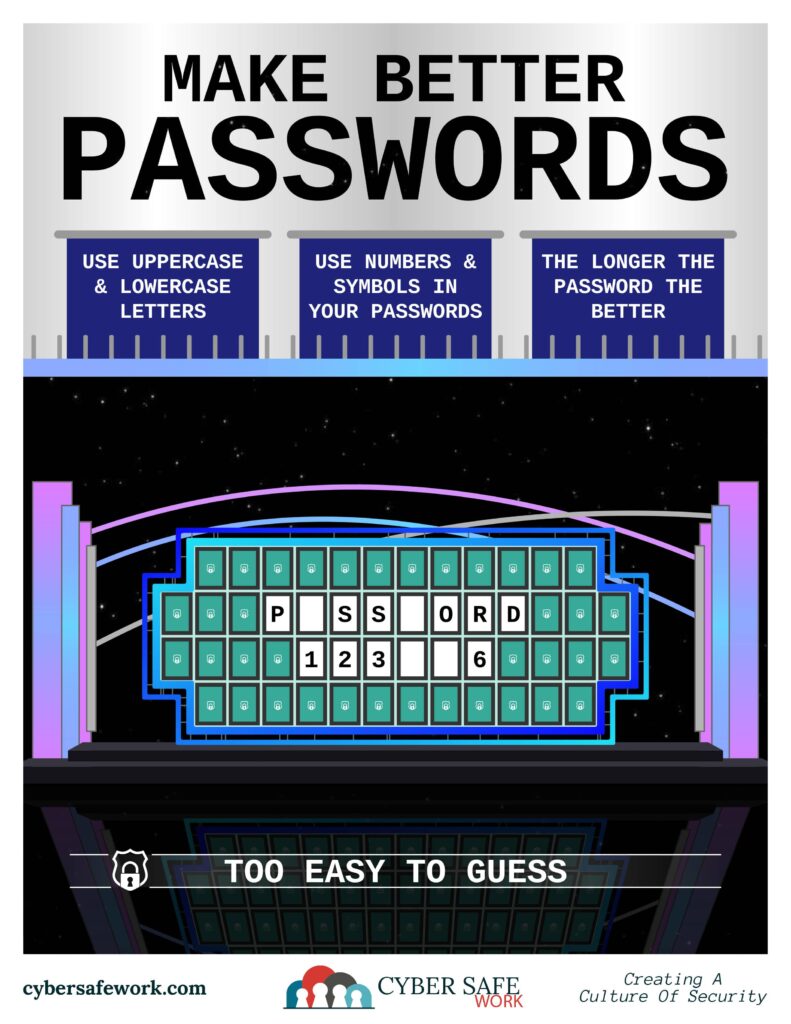
Password Cracking: Weak passwords make it easy for hackers to gain access. They use brute force attacks (trying various combinations until they guess correctly) or leverage software that automates this process. If passwords are simple or reused across multiple accounts, it increases vulnerability.

Malware and Keyloggers: Malicious software installed via phishing emails or infected websites can capture everything a user types, including email passwords. Keyloggers are a specific type of malware that records keystrokes.
Social Engineering: Hackers can manipulate people into providing sensitive information by pretending to be trustworthy individuals. This might involve a phone call, email, or other communication methods where they impersonate someone the victim knows.
Data Breaches: Large-scale data breaches on other platforms can expose email login credentials if users reuse the same passwords. Hackers may test compromised passwords from one service to try to gain access to email accounts.
Public Wi-Fi Attacks: Public Wi-Fi networks, especially unsecured ones, can expose email communications to hackers. They can intercept unencrypted data or create fake Wi-Fi networks to steal login details when users attempt to access their email.
SIM Swapping: In this method, hackers trick mobile carriers into transferring a victim’s phone number to their own SIM card. Once they control the phone number, they can intercept two-factor authentication codes sent via SMS and gain access to the email.
How to avoid falling victim to a scam
In Arlington, employees are now required to undergo mandatory cybersecurity training. Massachusetts has a Municipal Cybersecurity Awareness Grant Program. FEMA has created a State and Local Cybersecurity Grant Program to help fund eligible entities “to address cybersecurity risks and threats to information systems owned or operated by, or on behalf of, state, local, or tribal governments” in fiscal years 2022 and 2023. State governments, like Massachusetts and Pennsylvania, offer help for smaller local governments who wish to apply for these grants as they become available.
To protect against these attacks, consider the following measures:
- Email Verification: Always verify email addresses, especially when handling financial transactions. Cross-check email requests with a known, reliable contact. Be aware of any typos or slight differences to trick the eye into thinking it’s the correct domain (i.e. m1b.com instead of mtb.com for M&T Bank).
- Unsafe Attachments: Never open an email attachment from someone you don’t know or recognize. If you’re unsure, have a professional review the attachment.
- Two-Factor Authentication (2FA): Implement 2FA for to add an extra layer of security. This works for email accounts, but it’s also applicable to other accounts you may have online.
- Employee Training: Educate employees about phishing and email scams, ensuring they recognize warning signs like sudden changes in payment methods or email addresses.
- Share Mindfully: Be careful what is shared online as it can be used in social engineering/password attempts (pet names, schools, family members, etc.).
- Secure Payment Processes: Establish strict protocols for processing payments, such as requiring multi-person or in-person approval for high-value transactions or account number change requests.
- Use Email Filtering Tools: Deploy email security solutions that detect and block suspicious emails before they reach your inbox.

Remember, most scammers will pressure you to act quickly to avoid thinking too hard about the task at hand. Always take the time you need to stay safe. Humans may always be the weak link in cyber security. However, using these strategies can significantly reduce the risk of falling victim to BEC scams.
