
Many hosting providers and website platforms advertise a free website migration as part of their onboarding.
For business owners, it sounds simple and risk-free: your site is moved for you, at no cost, with no downtime.
But from an SEO perspective, “free” website migrations are often the most dangerous kind of migration.
Not because the move itself is bad, but because most free website migrations focus on copying files and databases, not preserving the technical signals that protect search visibility.
Here are the most common SEO failures we see during free website migrations and why they matter.

Free website migrations usually move files, not SEO signals
A proper SEO-safe migration preserves:
- URL structure
- redirects
- canonical signals
- internal link structure
- crawl and index behavior
A free website migration typically only guarantees:
- the site loads
- the pages display
- the database imports correctly
From an SEO standpoint, those are very different outcomes. Your site can appear to be working perfectly while search engines are quietly losing the ability to associate your new site with your old rankings.
The biggest risk: URL changes without a redirect plan
One of the most common outcomes of a free website migration is a change in URL structure.
This happens most often when clients change their content management system (CMS), consolidate content, categories or folders are rebuilt automatically, or blog and resource paths are regenerated. When URLs change without a documented redirect map, search engines treat those pages as new content.
That means:
- previous ranking history is not automatically transferred
- external links point to pages that no longer exist
- long-tail visibility is often permanently lost
Redirects are frequently created only for obvious pages (such as the homepage), leaving hundreds of deeper pages unprotected.
From an SEO standpoint, this is can significantly damage a site’s ranking.
Redirects are often incomplete, automated, or chained
When redirects are added during free website migrations, they are usually:
- pattern-based
- auto-generated
- or layered on top of existing redirects
This creates incorrect destination pages, redirect chains, or broad redirects to category pages instead of intent-matched pages.

Search engines rely on clean, one-to-one permanent redirects to transfer ranking signals correctly. When redirects are vague or multi-step, authority transfer weakens and re-indexing slows. This problem is especially damaging for service and location-based websites where individual pages often carry very specific search intent.
Internal links are rarely updated to the new URLs
Another overlooked SEO issue with free migrations is internal linking. Even when redirects are added, internal links often still point to the old URLs.
From an SEO standpoint, this creates two problems:
- search engines waste crawl budget following unnecessary redirects
- the new URL structure takes longer to be recognized as authoritative
Redirects should protect users and external links, not compensate for an outdated internal site structure. A proper migration updates the internal links to point directly to the new URLs. Free migrations almost never include this step.
Canonical tags and sitemaps are frequently left pointing to the old site
Canonical tags and XML sitemaps tell search engines which URLs should be indexed.
During free migrations, it is very common for:
- canonical tags to still reference the old URLs
- sitemaps to include outdated paths
- or both
When this happens, search engines may continue to treat the old URLs as the preferred versions even when they redirect. This can significantly delay the indexing of the new pages and suppress rankings during the transition.
After any migration, the sitemap should be regenerated and resubmitted in Google Search Console so crawl and indexing problems surface quickly.
Free website migrations do not benchmark your SEO before the move
Another critical gap is the lack of a pre-migration baseline.
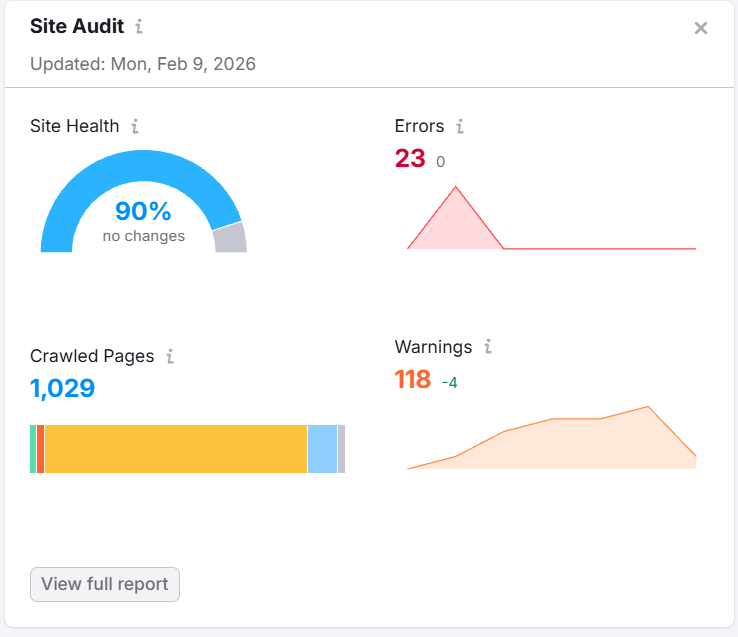
A proper SEO migration captures:
- indexable URLs
- current status codes
- canonical targets
- and site structure
Free migrations almost never include a crawl of the existing site, a list of ranking or high-value pages, or any form of SEO validation checklist.
When traffic drops after launch, there is no reliable reference point to identify what changed or which pages were most affected. This turns SEO recovery into guesswork.
Pro Tip: Some of these items can apply to a redesign too. It is smart to look at your indexable URLs, status codes, site structure, list of high value pages, and more before you begin a redesign even if you’re staying with the same CMS on the same server.
Multiple old pages are often merged without intent matching
While a free migration may not include content consolidation, many clients see a migration as a great time to restructure content. It is common to see multiple older service pages or multiple legacy location pages collapsed into a single new page without individual redirects.
From an SEO standpoint, this removes relevance signals tied to specific queries and often causes long-tail rankings to disappear.
Page consolidation can be effective only when:
- every old URL is redirected
- and each redirect points to a page that genuinely satisfies the same search intent
Free migrations rarely perform this level of mapping.
The most dangerous part: SEO damage is rarely immediate
One of the reasons free migrations are so misleading is that problems often appear slowly.
The site may look normal to visitors. It may generate leads for a while. Basic functionality checks are all well and good up front. Ranking and indexing losses typically appear over several weeks as search engines process redirects, canonicals, and new URL structures.
By the time performance drops are noticed, the migration provider is no longer involved, and the repair work becomes more expensive than doing the migration properly in the first place.
A safer approach when URLs may change
If your free website migration involves any change to URLs, a proper SEO process should include:
Before launch
- a complete export of all indexable URLs
- identification of high-traffic and lead-generating pages
- a one-to-one redirect mapping document
At launch
- clean, single-hop 301 redirects
- internal links updated to the new URLs
- canonical tags updated
- a new XML sitemap generated
Immediately after launch
- sitemap submission
- validation of old URL redirects
- validation of indexability on new URLs
Final thought
A free website migration is designed to move a website. It is not designed to protect search performance.
When SEO is not treated as a primary requirement, especially when URLs change, even a technically successful migration can quietly erase years of organic visibility.
If your website depends on search traffic for leads, services, or public access to information, migration planning should prioritize how search engines interpret your new site structure, not just how quickly the files can be transferred.
