
Creating and maintaining a website that is ADA compliant is not just a one-time task; it requires ongoing commitment to both accessibility standards and user experience. While handling this in-house may seem like a cost-saving measure, the reality can be far more complex and expensive than anticipated. Below, we break down the specific areas where costs add up when managing ADA compliance alone.
Please note that these costs are estimates, created September 2024, and may vary depending on your location, website type, developer skill level, and needs.
Initial Accessibility Audit
Before any remediation can take place, a thorough accessibility audit is essential. This involves scanning the website for compliance with Web Content Accessibility Guidelines (WCAG) 2.1 and identifying areas that need improvement.
Cost of automated tools: $500 to $2,000/month for accessibility auditing software
Manual audits: $1,500 to $5,000, depending on the website’s complexity, to hire a professional accessibility consultant for a detailed audit. If you do it in-house, you’ll need to invest in training and dedicate resources to this task, costing an estimated $2,000 to $3,000 per person for WCAG training.

Web Development and Design Adjustments
Once you know what needs to be fixed, the next step is remediating the issues. Many accessibility adjustments are not simple fixes and often require significant design and development efforts.
One aspect of an accessible website is having all of the elements of the website labelled. In the recent episode titled Who Is Filing Thousands of Disability Lawsuits?, The Journal. podcast explores the surge in disability lawsuits and examines the motivations and implications of such cases (The Journal.). Director of Public Relations for the National Federation of the Blind Chris Danielsen explains what happens when website owners don’t properly label the elements of their website.
“A screen reader can’t just tell from looking at a button what that button does. There has to be text that tells the screen reader what it does. So, a lot of times I will go to a website and I’ll be hearing from my screen reader just button button button button button. So it’s important for there to be a label that tells the screen reader ok this button is the shopping cart button and so that when my screen reader sees that button is reads shopping cart button.”
Depending on how accessible your website is already, you may need to allocate 10–100 hours of development time to address issues such as keyboard navigation, color contrast, alternative text for images, and accessible forms. This amount of time can vary wildling depending on how your site is built.
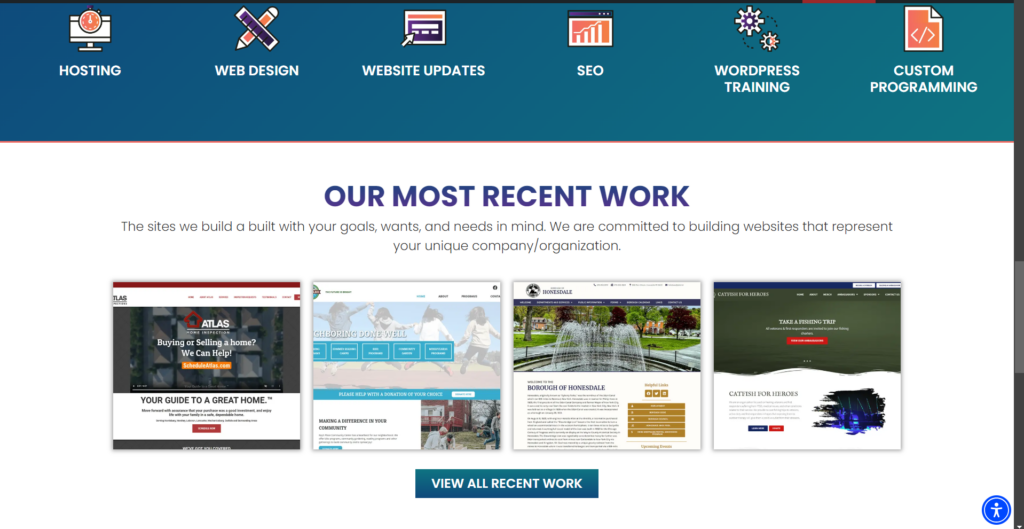

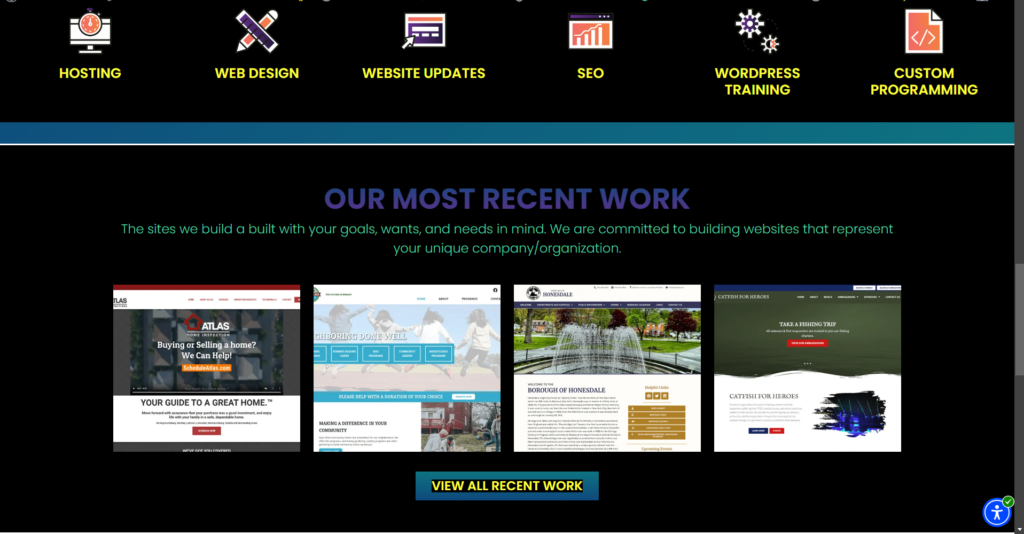
Estimated cost: $500 to $20,000 at an hourly rate of $50 to $200/hour for an experienced web developer.
Design costs: If your site requires a redesign to meet compliance (e.g., revising color schemes or navigation structures), expect design costs ranging from $2,000 to $5,000.
Content Updates
It’s not just the website’s design and code that need to comply; content must also be accessible. This includes providing alternative text for images, ensuring videos are captioned, and ensuring documents (PDFs, Word, etc.) are fully accessible.
Cost of captioning services: $1 to $3 per video minute for professional captioning. If you’re producing a lot of video content, this adds up quickly.
Accessible document creation: Training employees on how to create accessible documents can cost around $500 per person, while paying an external service to remediate existing PDFs or forms can range from $20 to $100 per document.
We’ve created a streamlined checklist for aligning with AA ADA requirements. This free PDF tool will help if you want to see what is actually involved in striving for website ADA conformance.
Ongoing Monitoring and Updates
ADA compliance is not static. As your website grows and evolves, every new page, blog post, image, or video needs to meet the same accessibility standards.
Subscription to monitoring tools: $50 to $500/month for accessibility monitoring software that helps ensure continued compliance as your website is updated.
Training for content creators: To maintain compliance, everyone who touches your website must be trained in accessibility best practices. As stated above, training can range from $2,000 – $3,000 per person, depending on the depth of training required.
Legal Fees
One of the hidden risks of managing ADA compliance on your own is the potential for legal action. If your website isn’t fully compliant, you could be hit with a lawsuit.
Legal consultations: If you choose to proactively consult with a lawyer to review your compliance measures, this can cost $500 to $2,000.
Lawsuit defense costs: Should your website be found non-compliant, you could face a lawsuit that costs tens of thousands in legal fees, with settlements ranging from $20,000 to $100,000 or more.
Assistive Technology Testing
To ensure your website works seamlessly with various assistive technologies (e.g., screen readers, voice recognition software), it’s important to test across multiple devices.
Cost of testing tools: $100 to $500 for software that simulates assistive technologies or real devices.
Hiring testers: You may need to hire users with disabilities to test the site, which can cost $50 to $150 per hour.
Total Estimated Costs for DIY ADA Compliance:
Upfront: $9,000 to $20,000+ for audits, fixes, and initial training.
Ongoing: $500 to $2,000+ per month for monitoring tools, captioning, and training.
Potential legal costs: $20,000 to $100,000+ if your website faces a lawsuit.
Conclusion: Is DIY ADA Compliance Worth It?
While it’s possible to manage ADA compliance internally, the costs—both in terms of time and money—can quickly add up. Between development, content management, legal risk, and ongoing monitoring, DIY ADA compliance can easily exceed the cost of hiring an expert to handle it for you. Investing in an experienced team to manage compliance not only ensures you stay within the law but also saves you from the unexpected expenses of going it alone.
Hiring a company to do it for you
Doing it yourself is expensive, but so is hiring a company to handle your ADA compliance. A website audit can cost $250 to $350 per page. Then the discovered issues must be fixed. Remediation can range $350 to $550 per page. A 10-page website (which is on the smaller side these days) could cost $3,500 for the audit and another $5,500 for the remediation. Plus, the site must be monitored for changes and ongoing compliance adding to the cost over the life of the site.
At CourseVector, we are committed to helping our clients enhance their websites’ accessibility and align with ADA guidelines. Our partnership with UserWay enables continuous monitoring and improvements to key areas such as navigation, color contrast, and screen reader compatibility. While we strive to bring your website closer to full compliance, ADA standards are complex and ever-evolving, and no automated tool or service can guarantee 100% compliance across all web elements.
What We Do:
- Use the UserWay plugin to identify and address common accessibility issues.
- Monitor and improve accessibility during your biannual maintenance.
- Educate our clients on best practices for ensuring that new content and media meet accessibility standards.
What May Require Additional Attention:
- Documents (e.g., PDFs, forms): While our monitoring system can highlight areas for improvement on your website, it cannot identify inaccessible documents. Additional steps may be required to ensure these files meet ADA standards.
- Audio and Video: The UserWay plugin does not address audio or video assets on your website. If there are audio or video assets on your website, these will need to be addressed manually. Hosting videos on a service like YouTube may provide some level of compliance, but it may not be 100% compliant for all types of assets. We have written an entire article devoted to the accessibility of timed media elements on your website and urge you to check it out.
- Ongoing Adjustments: As accessibility guidelines evolve and new content is created, further updates may be necessary. We encourage regular audits and adjustments to maintain compliance.
Our Commitment: We provide the tools, expertise, and guidance to improve your website’s accessibility and minimize legal risks, but achieving 100% ADA compliance is a continuous process that requires collaboration and ongoing effort.
