
Collecting personal information is essential for both businesses and local governments, making personally identifiable information (PII) common in any office, whether stored electronically or physically. But how can employees prevent a reportable PII data breach? Knowing what is considered PII is an important first step.
- What can be considered PII
- Direct versus Indirect identifiers
- Sensitive versus Non-sensitive PII
- What is not PII
- Reportable breach
- Protect your business or municipality
- Protect yourself as a consumer
What can be considered PII?
PII, or Personally Identifiable Information, is any data that can be used to identify a specific person, such as their name, address, or phone number. While each state varies slightly on what they consider sensitive information, Pennsylvania’s original definition of PII includes:
- Any identifying number, including but not limited to
- social security number
- tax ID
- driver’s license number
- state ID card number
- military ID number
- passport number
- Financial account information, credit card number, or debit card number along with any security code, access code, or password permitting access to the person’s financial account
However, there have been many bills introduced to amend the definition of PII to include:
- medical information
- educational records
- income or socioeconomic information
- information regarding food purchases
- biometric data
- geolocation data
- information collected through an automated license plate recognition system
- username / email address in combination with a password or security question answer that would permit access to an online account
This KnowBe4 PDF sums up PII very nicely.
Certain pieces of information alone may not be considered sensitive PII. However, when they are combined with other pieces of information, they can become sensitive PII. Direct identifiers are pieces of information that directly point to a specific person, like their name or social security number. Indirect identifiers, however, don’t directly reveal someone’s identity on their own but can be combined to figure it out, like zip code and birth date. For example, your name alone may not be considered PII, but when combined with your email address or the last four of your social security number it can become sensitive PII.

Direct Identifiers
- Name: Full name or sometimes just first and last names.
- Social Security Number (SSN): A unique number used for identification in the United States.
- Date of Birth (DOB): The date someone was born.
- Home Address: The physical address where someone lives.
- Email Address: An email address associated with an individual.
- Phone Number: A telephone number associated with an individual.
- Driver’s License Number: A unique number assigned to a person’s driver’s license.
- Passport Number: A unique number assigned to a person’s passport.
- Biometric Data: Such as fingerprints, facial recognition data, or retinal scans.
- Financial Information: Such as credit card numbers or bank account numbers.
Indirect Identifiers
- Zip Code: A postal code area where someone lives.
- Gender: The sex of an individual.
- Occupation: The job someone does.
- Education Level: The highest level of education someone has completed.
- Marital Status: Whether someone is single, married, divorced, etc.
- Race or Ethnicity: The racial or ethnic background of an individual.
- Religion: The religious beliefs of an individual.
- Medical Information: Such as health conditions or treatment history.
- Internet Protocol (IP) Address: A unique identifier for a computer or device on a network.
- Browser Cookies: Information stored by websites on a user’s computer.
- Purchase History: Records of what someone has bought.
- Web Browsing History: The websites someone has visited.
- Social Media Activity: Posts, likes, and shares on social media platforms.
- GPS Location Data: Information about where someone has been based on their device’s GPS.
- Vehicle Registration: Information about the vehicles someone owns.
But wait, there’s more! Sensitive PII refers to information that, if disclosed, could result in harm or identity theft, such as Social Security numbers, financial account numbers, or medical records. Non-sensitive PII, on the other hand, includes information like names, addresses, or phone numbers, which by themselves might not cause direct harm if exposed.
Sensitive PII
- Social Security Number (SSN): A unique identifier used for taxation and identification purposes.
- Financial Account Numbers: Such as credit card numbers, bank account numbers, or investment account numbers.
- Medical Information: Health records, diagnoses, treatments, prescriptions, or any other medical data.
- Biometric Data: Fingerprints, retina scans, DNA information, or other biological characteristics used for identification.
- Driver’s License Number: A unique number assigned to an individual’s driver’s license.
- Passport Number: A unique number assigned to an individual’s passport.
- Government-Issued ID Numbers: Such as a national identification number or immigration status.
- Login Credentials: Usernames, passwords, PINs, or security questions and answers.
- Health Insurance Information: Policy numbers, claims history, or any other health insurance-related data.
- Employment Information: Including salary details, employment history, or performance reviews, depending on context and jurisdiction.
Non-Sensitive PII
- Name: First name, last name, or both.
- Address: Mailing address, including street address, city, state, and ZIP code.
- Phone Number: Personal or work phone number.
- Email Address: Personal or work email address.
- Date of Birth: The date someone was born.
- Gender: Male, female, or other gender identity.
- Ethnicity or Race: Information about a person’s racial or ethnic background.
- Language Preference: The preferred language of communication.
- Occupation: Job title or type of work.
- Education Level: The highest level of education completed.
- Marital Status: Single, married, divorced, etc.
- Religion: Religious beliefs or affiliation.
- Vehicle Information: Vehicle make, model, year, or color.
- IP Address: Internet Protocol address used for browsing the internet.
- Browser Cookies: Information stored by websites on a user’s computer for tracking purposes.
How do Direct and Indirect Identifiers differ from Sensitive and Non-Sensitive PII? Direct and indirect identifiers refer to how information can be used to identify individuals. Direct identifiers directly point to a specific person, like a name or Social Security number. Indirect identifiers don’t directly reveal someone’s identity but can be combined to figure it out, like zip code and birth date.
On the other hand, sensitive and nonsensitive PII refers to the nature of the information itself. Sensitive PII includes data that, if exposed, could cause significant harm or risk to an individual, such as financial or health information. Nonsensitive PII, however, is less critical on its own, like basic contact information.
So, while there’s some overlap between the concepts, they’re not quite the same. Direct and indirect identifiers are about the method of identification, whereas sensitive and non-sensitive PII are about the potential impact of the information if exposed.
What is NOT PII
Information that can be obtained via public records is not PII. Information contained within local, state, or federal records is also not considered PII. Other non-PII data can include:
- Anonymous Data: Information that has been stripped of any identifiers and cannot be linked back to an individual.
- Aggregated Data: Data that has been combined from multiple sources and summarized to show overall trends or patterns, without identifying individuals.
- De-Identified Data: Information that has been modified to remove personal identifiers, making it impossible to identify individuals from the data alone.
- Non-Personal Information: Data that does not relate to an identifiable individual, such as general demographic information or statistics.
- Publicly Available Information: Information that is publicly accessible and not restricted, such as information on public websites or in publicly available databases.
- Anonymized Information: Data that has been altered to prevent identification, even if it was originally PII.
It’s important to note that while these types of information are not considered PII, they still may have privacy implications and should be handled with care to avoid misuse or unintended consequences.
Your PII holds enormous value to identity thieves. With the right PII, criminals can:
- Use a debit card number to steal funds
- Open a new credit card or loan
- Open a bank account to write bad checks
- Give someone else’s personal information in the event of an arrest
- Acquire a new driver’s license or ID
- And much more

Reportable Breach
In 2005, the General Assembly enacted the PA Breach of Personal Information Notification Act. Entities that maintain, store, or manage computerized data that includes PII shall provide notice of any breach of the security of the system following discovery of the breach to any resident of PA whose unencrypted and unredacted personal information was or is reasonably believed to have been accessed and acquired by an unauthorized person. While the definition of PII is in question here, this Act does not prevent persons affected by a data breach from suing the borough in a civil suit for mishandling sensitive data.
The 2005 Act does not include laws from other states and countries with much stricter PII definitions and data breach laws. Municipalities may be required to follow the laws in each state and country for residents therein. Therefore, if a visitor applied for some sort of borough permit, the borough did not handle the data correctly and suffered a data breach, the laws in which the person is a resident may apply to the requirement for reporting the data breach.
PII Protection for Municipalities & Businesses
Protect the privacy of your residents, customer and/or staff by ensuring the safe handling of sensitive data. To help combat human error (a prominent cause of data breaches), begin creating a culture of security among borough staff.
All employees should be aware of how to safely collect, send, and store electronic PII.
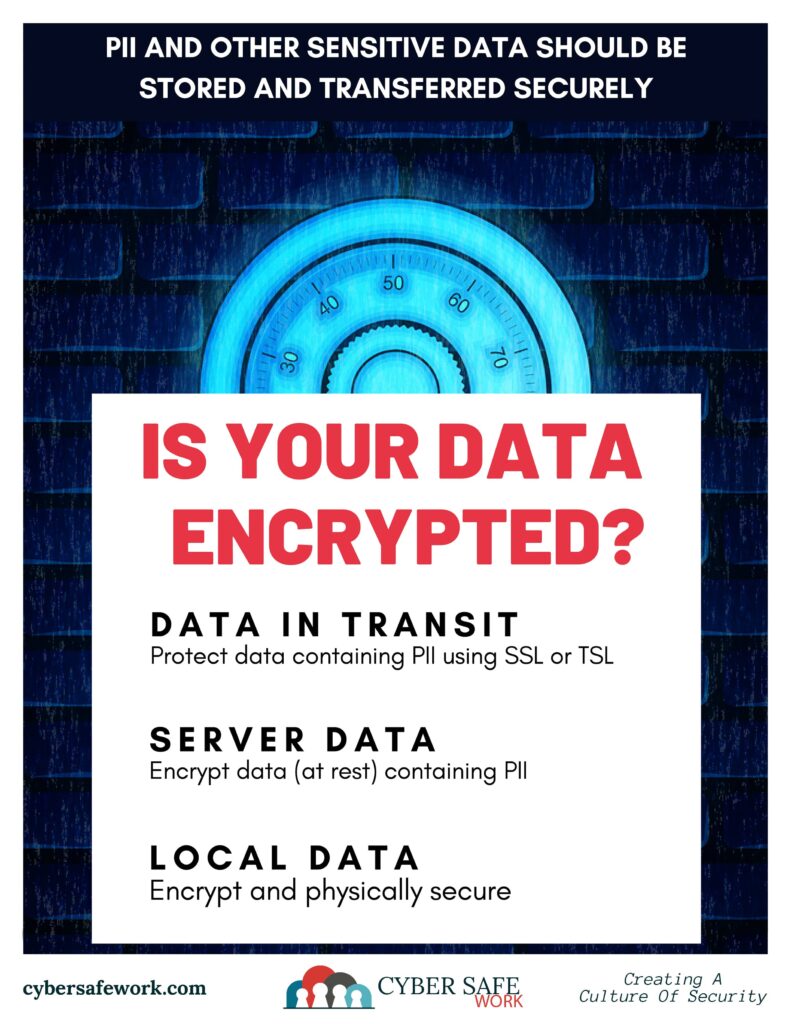
Collect – When collecting PII online, not just any online form will do. Collect PII using a secure form only. Encryption both in transit and at rest is essential.
Send – Use a secure portal to send PII. The data must be encrypted at rest and in transit.
Never email PII. Even if your email is secure, one cannot be sure if the recipient’s email is secure.
Store – When storing PII locally, whether collected online or entered in the computer by hand, ensure that the network is secure to reduce the risk of a hack. Network security can seem too technical for the average user. If your borough has an IT professional, work with her or him to ensure network security. If your borough doesn’t have an IT professional, a few simple steps to increase network security include layered security, installing updates and patches, changing default credentials, training and procedure enforcement, and employing proper permissions.
When storing PII on a server, it is important to store the data encrypted. Encrypted information is not stored in plain text. It is stored “scrambled” so if an unauthorized person does gain access to the server on which it is stored, the information cannot be read without a key to decrypt the data. Encrypt as much of the data as possible. This way, you have a better chance of being covered as PII laws change.
Never store PII on an unlocked, insecure device, such as a laptop taken to and from the office or a personal smartphone. Criminals could easily steal such a device and gain access to sensitive borough information. Make sure PII is stored on a secure drive on a secure network to minimize the risk of stolen data.
It is worth noting that you should only collect and store the PII that needs to be stored. Consult your solicitor to explore the state and federal regulations that apply to the borough and the data collected, as well as appropriate retention policies.
Protecting your PII as a Consumer
Although a consumer cannot prevent PII data breaches from occurring, it is possible to protect personal information. Limit the amount of personal information shared. This can be difficult, but it can be done. Next time someone asks for PII, truly think about why they need it. If sharing specific information is a must, ask them how they will protect it. Additionally, consider limiting information shared on social media and remember to shred important documents before discarding.
Each piece of data shared could provide a criminal with a new puzzle piece. Whether as a consumer, professional, or a municipal official, start protecting PII today to reduce the risk of identity theft.

Disclaimer: CourseVector is not issuing legal advice about the definition or handling of PII or how to handle a data breach. Please consult your lawyer or solicitor to determine next steps if you think your borough may have had a data breach. It is up to each borough to determine an IT security plan on how to collect, send, and store PII.
For more information on PII laws in PA, check out https://www.legis.state.pa.us/ or contact your lawyer or solicitor.
